
Google Shortcuts for Streamlined Searches


How to find Google Shortcuts and use them to your benefit!
Table of Contents
(1) To Find pdfs, Excel Spreadsheepts or PowerPoint file:
Use these entries, filetype:pdf – filetype:xls or filetype:ppf.
This Google Shortcutswill bring up only the files in these formats that you are looking and helps you streamline your search and will only load relevent files! Prevents you for having to search through countless of entries that you don’t need.
(2) To narrow down information:
You can use a hyphen (minus – sign)
Use lieke this, Tigers -Football -Baseball
This tells the search engine to omit any Tigers terms accociated with Football or Baseball. Be sure to put a space befor the hyphen. This Google Shortcuts search will only result in the Tiger Animal!
(3) To find something you found online but just can’t remember where you saw it:
Use, intitle:
Example, intitle:”hardrock cafe”
This Google Shortcuts helps by pulling up the pages with this term that is in quotes in the title. Remember to use quotes with no space between the quotes and colon.
(4) To find: A Verbatim phrase (In exactly the same words as were used originally: “recite the passage verbatim”; “verbatim quotes”.)
Use the quotation marks (“”)
Example: “Mark Twain”
This Google Shortcuts will help eliminate a lot of the irrelevant links that might otherwise show up in a search.
Here are some more Google Shortcuts you might not have known!
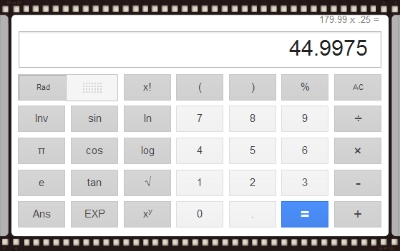
1: You can perform calculations in the Google Search window!
You want to to figure out what 25 percent off that 179.99 coat you are wanting to buy would be.
Just type 179.99 x .25 into the search window hit enter, and you get the answer.
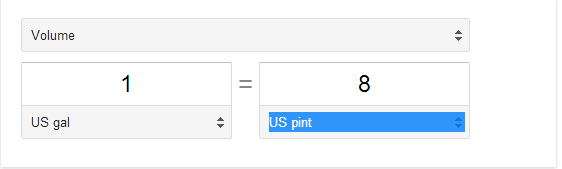
2: You can convert measurements in the Google Search window!
Such as, “pints in gallon” (no quotes needed) Just type the term in the search window.
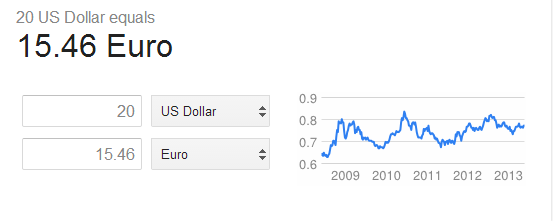
You can also convert currency such as, “20 dollars in euros” (no quotes needed) Just type the term in the search window.
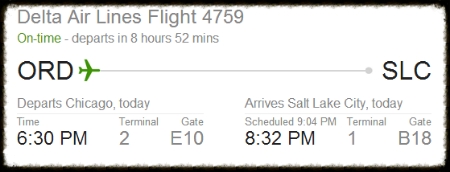
3: You can track your flight with Google Search!
This Google Shortcuts tells you if your flight is on time!
Type in your airline followed by your flight number.
Such as “Delta 4759” (No quotes needed).
4: Locate packages with Google Search!
This Google Shortcuts let you find your package you have shopped by connecting you to the correct carrier. Just type in “Track” plus the tracking number.
5: You can look up addresses also!
This Google Shortcuts lets you type in a persons phone number and if they are listed, Google will turn up the mailing address.

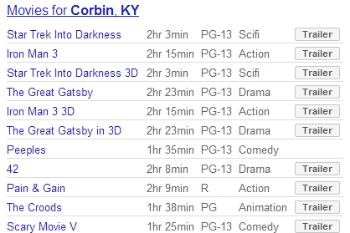
6: You can find Movie Showtimes!
Just type “Movies” and add your city and zipcode to see a list of Theatres and showtimes for the next three days!
7: Listen to music!
This Google Shortcuts allows you to listen to your favorite recording stars! Just type in the the song title and the artist, “Momma Tried Merle Haggard” The top 4 search results will be uTube videos of this song performed by Merle Haggard!
I am sure there are lot of other shortcuts that Google has that are just as useful! If you know of any and would like to share them just leave comment in the comments field below. It you think this has been beneficial you can leave us a comment!
Thanks for stopping by Back Roads Living again.
Drop by and LIKE our Facebook page, Back Roads Living
~Blessings~
Related Posts
Brood X Cicadas Invasion ~ Are you Ready?
Timber Rattler Mountain Terrain ~ Canebreak Rattler
Our Home Canning Machine and Fruit Preserver
Why Should I Homestead the Answers are Here!
Grandpa and Grandma’s Story
OUR MOST POPULAR FACEBOOK POST

